Free and Open Source

It's time to give agents
access to your database

It's time to give agents
access to your database

Dolt is the database for AI.

Branch, merge, diff, and rollback your data.

$docker run -p 3306:3306 dolthub/dolt-sql-server:latest
$ dolt version

Verify your installation with the command above

Join our Agentic Newsletter

Weekly insights on AI agents, version control,

and shipping safely.

Sign Me Up

Discord

14k+

Unsubscribe anytime

AI agents are powerful. But you can't trust them.

AI Agents are powerful.

But you can't trust them.

AI agents are powerful. But you can't trust them.

What did it change?

Without diffs, you can't tell if an agent updated 1 row or 1,000.

You need visibility.

What if AI writes bad data?

Agents can hallucinate, corrupting thousands of rows in seconds.

You need to fix it fast.

How do you recover?

When an agent drops a table, backups take hours.

You need instant rollback.

Manage your database
the way you manage your code

Git-style version control, built into your database

Safe Experimentation

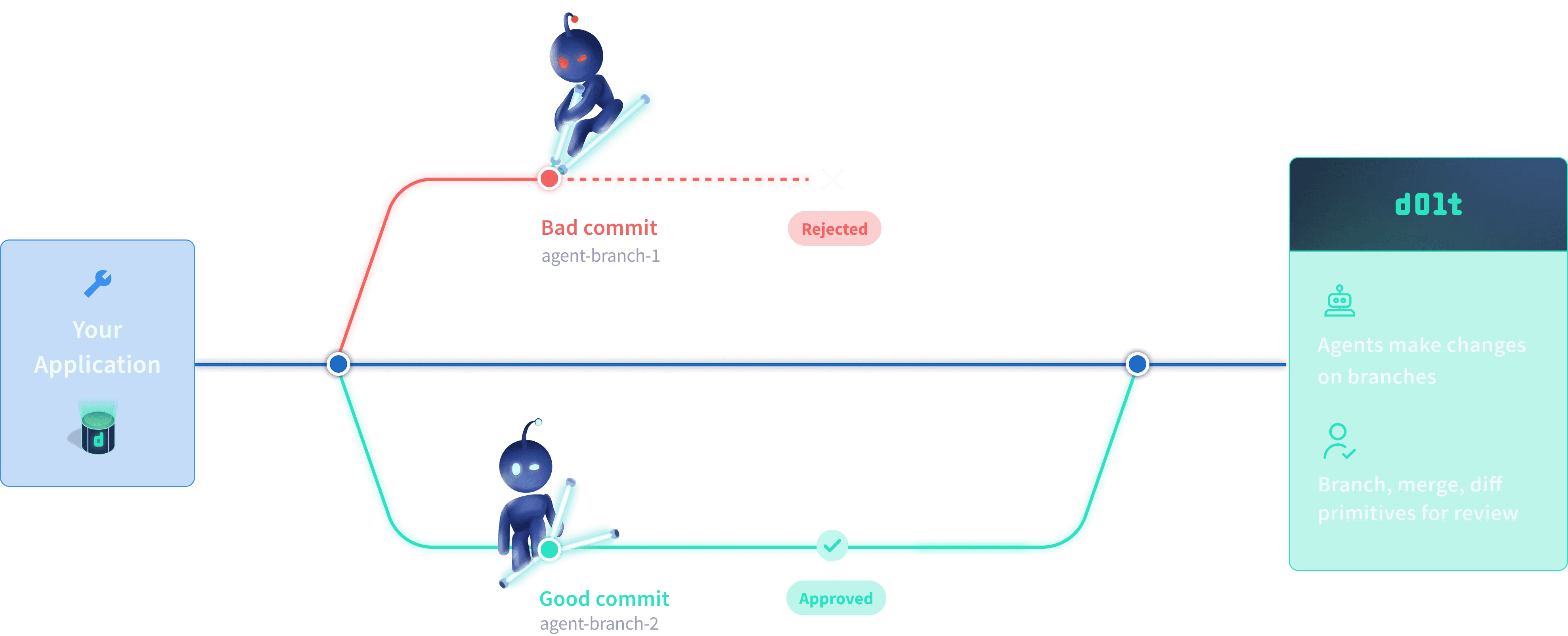
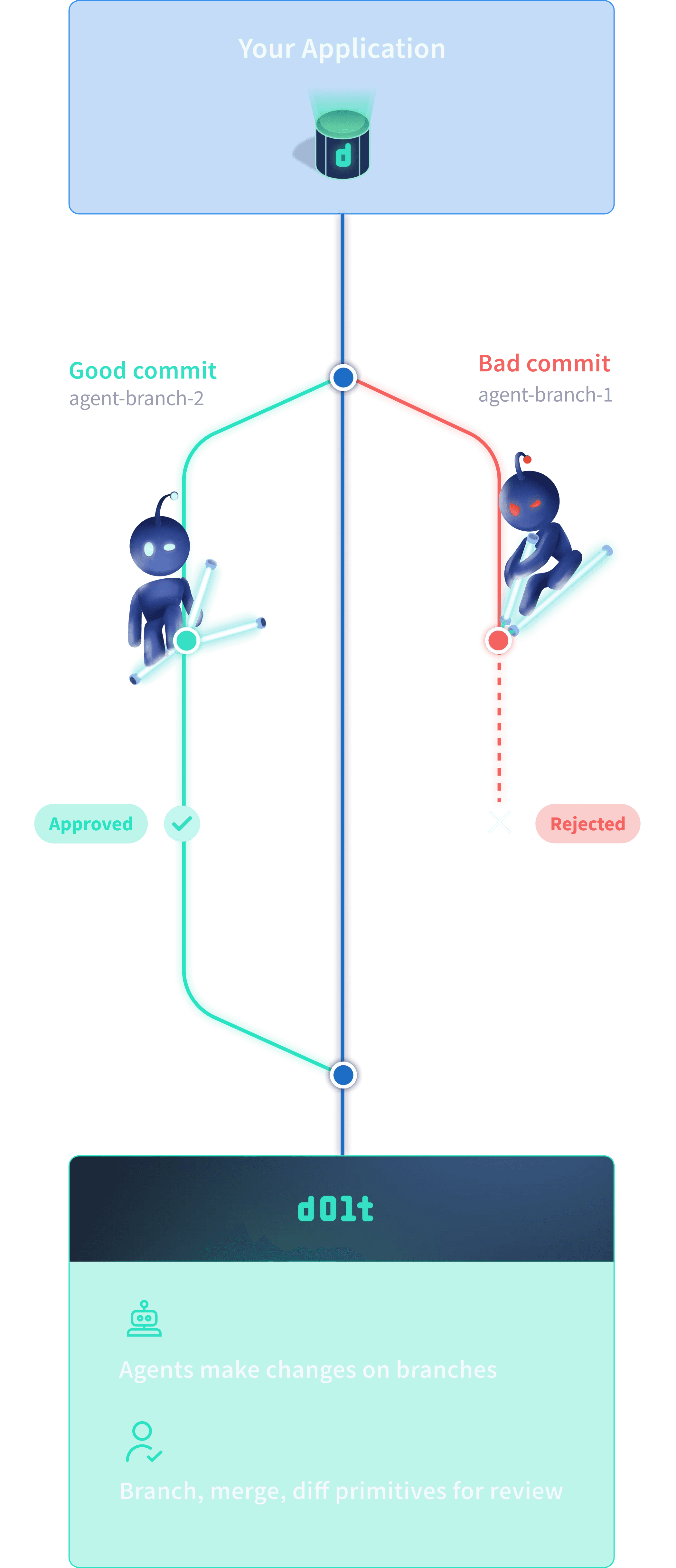
Every agent gets its own branch. Test freely, break things safely while production stays untouched.

Diffs

Agents use diffs to understand context. Humans use diffs to review changes. See every modification, cell by cell.

Confident Deployment

When you're ready, merge agent changes to production and deploy with confidence.

Instant Recovery

Made a mistake? Undo it instantly. Roll back the entire database in seconds.

Data Lineage

Track every change, forever. See who modified what, when, and why.

Parallel Experiments

Run multiple agents at once. Compare their results, pick the winner, merge the best.
Join 10,000+ developers building AI apps with confidence

Join 10,000+ developers building AI apps with confidence

main branch

main branch

main branch

main branch

Build with your favorite tools and apps

Dolt speaks MySQL. This means you can use your favorite drivers, ORMs, and GUI clients without any custom plugins. Just point them to your running Dolt server.

Standard Port3306
Default Userroot
Default Host127.0.0.1
import mysql.connector

mydb = mysql.connector.connect(
  host="127.0.0.1",
  user="root",     # Default Dolt user
  password="",     # Default is no password
  port=3306,       # Default port
  database="beginner"
)

print(mydb)
# <mysql.connector.connection_cext.CMySQLConnection>

Latest from the Blog

Deep dive into database architecture and version control

AI and Data

Why AI Needs Version Control

Code is stored in files, but data lives in databases. Bridging the gap for the next generation of AI agents.

Product Building

Building AI Apps?

Your Database Should Version Like Code

A look at the new tooling for creating Dolt-native applications.

15 min read

Engineering / Use Case

How Flock Safety uses Dolt

Ensuring reproducibility and explainability in computer vision models with database versioning.

6 min read

Tutorial / Use Case

Safe Agent Writes in Workbench Demo

Agents can write directly to your database safely, while you review, diff, and roll back any issues.

1 min read

Build with your favorite tools

Dolt speaks MySQL. Use your favorite drivers, ORMs, and GUI clients without custom plugins.

Port3306
Userroot
Host127.0.0.1
import mysql.connector

mydb = mysql.connector.connect(
  host="127.0.0.1",
  user="root",
  password="",
  port=3306,
  database="beginner"
)

print(mydb)
# <mysql.connector.connection_cext.CMySQLConnection>

Frequently Asked Questions

Common caveats for Mac, Windows, and Linux users.

Windows (PowerShell):PowerShell strips quotes. Use single quotes for config: 'you@example.com'.
Mac (Gatekeeper):If you see "Unidentified Developer", we recommend using brew install dolt which handles signing automatically.
Linux (Permissions):The install script moves binaries to /usr/local/bin. Run with sudo or add a local bin to your PATH.
Yes. Dolt implements the MySQL wire protocol, so it works seamlessly with your existing applications, ORMs, and tools (like TablePlus or DBeaver). Just point your connection string to Dolt's port 3306.
No, Dolt is strictly MySQL-compatible. However, if you need the same version control features for Postgres, check out our sister project, DoltgreSQL.
Agents write to isolated branches, not directly to main. You review diffs, run tests, and manually merge changes—giving you complete control over what reaches production.
You can instantly rollback to any previous commit, revert specific changes, or cherry-pick good changes from a bad branch. Nothing is permanent until you want it to be.

Frequently Asked Questions

Common caveats for Mac, Windows, and Linux users.

Windows (PowerShell):PowerShell strips quotes. Use single quotes for config: 'you@example.com'.
Mac (Gatekeeper):If you see "Unidentified Developer", we recommend using brew install dolt which handles signing automatically.
Linux (Permissions):The install script moves binaries to /usr/local/bin. Run with sudo or add a local bin to your PATH.
Yes. Dolt implements the MySQL wire protocol, so it works seamlessly with your existing applications, ORMs, and tools (like TablePlus or DBeaver). Just point your connection string to Dolt's port 3306.
No, Dolt is strictly MySQL-compatible. However, if you need the same version control features for Postgres, check out our sister project, DoltgreSQL.
Agents write to isolated branches, not directly to main. You review diffs, run tests, and manually merge changes—giving you complete control over what reaches production.
You can instantly rollback to any previous commit, revert specific changes, or cherry-pick good changes from a bad branch. Nothing is permanent until you want it to be.